
Best AI For 3D Printing

AskSide
October 22, 2026
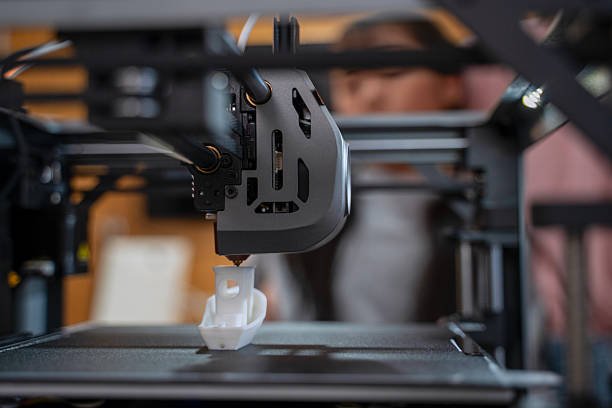
Identifying the best AI for 3d printing involves selecting software that can predict print failures and optimize support structures automatically. These advanced systems use machine learning to analyze the thermal and mechanical stresses of a model before the physical printing process even begins. By integrating artificial intelligence into the additive manufacturing workflow, creators can reduce material waste and significantly increase the success rate of complex geometric designs.
The integration of automated intelligence into the maker space has transformed how enthusiasts and professionals approach rapid prototyping. This guide examines the leading tools that are currently setting the benchmark for precision and efficiency in the 3D printing industry.
These are the Best AI For 3D Printing
The additive manufacturing landscape is rapidly evolving as companies integrate neural networks to solve long-standing issues like warping, nozzle clogs, and inefficient toolpaths. Utilizing the best AI tool for 3d printing can save professional labs thousands of dollars in lost time and ruined filament. From generative design platforms that create lightweight parts to computer vision systems that monitor prints in real time, the options are vast. Below is a detailed look at the most effective tools currently available for optimizing your 3D printing projects.
1. Autodesk Fusion 360
Fusion 360 is widely considered a powerhouse in the engineering world because of its robust generative design capabilities. Instead of a designer drawing every line, you input specific constraints such as weight, material, and load requirements, and the AI generates hundreds of optimized solutions. This is the best AI for 3d printing when you need to create parts that are both incredibly strong and lightweight, such as aerospace brackets or custom bicycle frames. A great tip for using this tool is to set your manufacturing method to Additive in the settings so the AI designs shapes that do not require excessive supports. This ensures that the final model is perfectly tailored for the specific strengths of 3D printing hardware.
2. Obico
Obico, formerly known as The Spaghetti Detective, is an open-source platform that uses computer vision to monitor your 3D printer remotely. It connects to your printer via a webcam and uses a deep learning model to detect failures like "spaghetti" prints or detached parts, automatically pausing the printer if something goes wrong. For anyone who runs long overnight prints, this is an essential best AI tool for 3d printing because it prevents the waste of entire spools of filament. Users can host the software on their own server or use the cloud version for a small monthly fee. A helpful tip is to ensure your camera has a clear, well-lit view of the nozzle area to minimize false positives during the detection process.
3. PrintWatch
PrintWatch is another leading computer vision tool that focuses on industrial-grade error detection and printer farm management. It uses a cloud-based neural network to track the extrusion process and identify anomalies in real time across multiple machines. This software is particularly useful for businesses that operate dozens of printers simultaneously and cannot afford to have a human monitoring every screen. The AI can also adjust printer settings on the fly to compensate for minor errors, potentially saving a print that would otherwise fail. For best results, integrate PrintWatch into your existing OctoPrint or Klipper setup to get the most responsive monitoring experience available today.
4. nTop
nTop, formerly known as nTopology, is a specialized design software that uses implicit modeling and AI-driven optimization to create complex lattice structures. It is often the best AI for 3d printing for medical and high-performance engineering applications where internal geometry is as important as the external shell. The software allows designers to create parts with varying densities, which is perfect for osseointegration in medical implants or shock absorption in athletic footwear. A useful tip for nTop is to use its field-driven design features to map stress data directly into the geometry of the part. This creates a truly custom model where the material is only present where it is absolutely needed for structural integrity.
5. Ai Build
Ai Build has developed a platform called AiSync which is designed specifically for large-scale industrial 3D printing using robotic arms. The software uses artificial intelligence to optimize toolpaths and ensure that the plastic or metal is deposited with extreme precision even on massive, multi-meter scales. It features a closed-loop system that monitors the print through sensors and adjusts the robot's movement in real time to prevent collisions or material buildup. This is an excellent choice for architects and construction firms looking to print functional structures or large molds. By using AiSync, you can significantly speed up the printing process while maintaining a level of detail that traditional slicing software cannot achieve on such a large scale.
6. Netfabb
Autodesk Netfabb provides advanced simulation tools that use AI to predict how a metal 3D print will warp or shrink during the cooling process. This is vital for industrial metal printing where a single failure can cost thousands of dollars in material and machine time. The software runs a thermal-mechanical simulation of the entire build, allowing engineers to compensate for distortion by "pre-warping" the digital model in the opposite direction. For users in the automotive or medical sectors, this tool is the best AI for 3d printing to ensure that parts meet strict tolerance requirements. A pro tip is to use the automated support generation feature in Netfabb to find the optimal balance between part stability and ease of post-processing.
7. SelfCAD
SelfCAD is a user-friendly 3D modeling and slicing software that integrates AI-assisted tools to help beginners create printable models quickly. Its "Magic Fix" tool is a high-quality AI for 3d printing feature that automatically repairs non-manifold meshes and fills holes in the geometry to make it "watertight." This is particularly helpful for hobbyists who download files from the internet that may have errors preventing them from being sliced correctly. The software also includes a built-in slicer that uses smart algorithms to suggest the best orientation for your model on the print bed. For the best experience, use the interactive tutorials within the app to learn how to manipulate the AI tools for custom jewelry or decorative home designs.
8. Magics by Materialise
Materialise Magics is the industry standard for data preparation and build optimization in professional 3D printing bureaus. It uses intelligent algorithms to automate the nesting of parts, which means it fits as many models as possible onto a single print bed to maximize efficiency. This is a critical best AI tool for 3d printing for businesses that need to optimize their "cost-per-part" by reducing the number of total print cycles. The software also features advanced support generation that minimizes the contact area between the support and the part, leading to smoother surface finishes. A great tip for Magics users is to utilize the "Sinter Module" if you are using SLS technology to prevent heat buildup and part fusion during the printing process.
9. Polycam
Polycam is a powerful mobile application that uses AI and LiDAR technology to turn photos of real-world objects into high-quality 3D models. While it is primarily a scanning tool, its "Scan-to-Print" workflow is a game-changer for people who want to replicate existing objects or create custom replacement parts. The AI handles the "reconstruction" of the object, filling in missing data and smoothing out textures to create a mesh that is ready for a 3D slicer. For hobbyists, this is an excellent way to digitize family heirlooms or create custom action figures of themselves. To get the best 3D print from a Polycam scan, always use the "Export to STL" feature and run the file through a mesh repair tool like SelfCAD to ensure there are no internal voids.
10. Luma AI
Luma AI uses a technology called Neural Radiance Fields or NeRF to create incredibly detailed 3D models from simple video clips. This is perhaps the best AI for 3d printing when it comes to capturing complex organic shapes that traditional photogrammetry might struggle with, such as plants or reflective surfaces. The AI interprets the light and geometry of the scene to build a volumetric model that can be exported for 3D printing. It is an amazing tool for digital artists who want to bring their real-world inspirations into the physical world. A tip for Luma users is to move slowly and capture the object from multiple heights to give the AI the most comprehensive dataset possible for a clean 3D reconstruction.
11. Canvas by Mosaic
Canvas is a specialized slicer designed for multi-material 3D printing, specifically for users of the Palette system. It uses intelligent algorithms to manage the "transition" between different colors of filament, ensuring that there is no bleeding or mixing between layers. This is the best AI tool for 3d printing for creators who want to make high-quality, multi-colored models without having a printer with multiple extruders. The software also allows you to "paint" colors directly onto a 3D model, and the AI will handle the complex task of calculating when the filament should be cut and spliced. For the best results, use the "transition tower" settings to ensure that any old filament is fully purged before the new color starts printing on your model.
12. Dyndrite
Dyndrite is a powerful computation engine that uses GPU-accelerated AI to handle the data preparation for the world's most complex 3D prints. It is designed to process massive files with billions of triangles that traditional CPU-based slicers simply cannot handle. This tool is often used in the high-end industrial sector for parts with complex internal cooling channels or extremely detailed lattice structures. The AI helps in optimizing the "hatching" patterns for metal laser sintering, which improves the mechanical properties of the final part. Engineers should use Dyndrite when they find that their standard software is crashing or taking hours to slice a single model. It represents the next generation of 3D printing software that is built for speed and massive data throughput.
13. Velo3D Flow
Velo3D has created a fully integrated software and hardware system that allows for "support-free" metal 3D printing. The Flow software uses sophisticated AI to analyze the geometry of a part and determine the exact laser parameters needed to print low-angle overhangs without traditional supports. This is a massive advantage for the energy and space industries, where internal geometries are often impossible to reach for support removal. By using this best AI for 3d printing technology, companies can design more efficient heat exchangers and manifolds that were previously unmanufacturable. A helpful tip for using Velo3D Flow is to trust the automated orientation suggestions, as they are calculated to minimize the internal stresses of the metal during the build.
14. CogniTens
CogniTens is an AI-driven 3D measurement and inspection system developed by Hexagon that is used to verify the accuracy of printed parts. After a part is printed, the system uses high-speed cameras and artificial intelligence to compare the physical object to the original CAD model. It can identify deviations of just a few microns, making it an essential tool for quality control in the medical and aerospace industries. This ensures that every part that leaves the factory meets the required safety and performance standards. For business owners, implementing an AI inspection system like CogniTens is the best way to prove the reliability of their 3D printing process to their clients. It provides a detailed report of every dimension, which is a requirement for many government and industrial contracts.
15. PostProcess Technologies CONNECT
PostProcess Technologies has developed the CONNECT platform which uses AI to manage the cleaning and finishing of 3D printed parts. After the printing is done, the parts often need to have supports removed or surfaces smoothed, which is traditionally a very labor-intensive manual process. The CONNECT software uses a library of millions of previous data points to determine the optimal chemicals, temperatures, and agitation levels needed to finish a specific part. This is the best AI tool for 3d printing for large-scale production facilities that need to automate the "post-processing" bottleneck. By using an automated finishing system, you can ensure that every part has a consistent surface finish and that delicate features are not damaged during the cleaning process.
Things to Consider When Choosing an AI Tool for 3D Printing
Selecting the right digital assistant for your additive manufacturing projects is a strategic decision that depends on your specific goals and hardware. With the market for machine learning expanding into the maker community, it is important to find the best AI tool for 3d printing that fits your budget and technical skills. Here are several factors you should analyze before committing to a new software or platform.
1. Hardware and Software Compatibility: Not every AI monitoring tool works with every 3D printer. Some software like Obico requires a Raspberry Pi or a high-end computer to run the computer vision models, while industrial tools like Netfabb are only compatible with specific high-end metal printers. Before you purchase a subscription, ensure that your printer's firmware and your computer's operating system are fully supported. Most manufacturers provide a compatibility list on their websites, which should be your first stop during the research phase.
2. Learning Curve and Technical Skill: Some AI for 3d printing tools are "plug-and-play," while others require an advanced degree in engineering or computer science to master. Generative design tools like Fusion 360 have a significant learning curve but offer incredible power once you understand how to set the constraints correctly. On the other hand, simple mesh repair tools are designed to be used with a single click. Evaluate how much time you are willing to spend learning the software; if you are a hobbyist, a complex industrial suite might be more frustrating than helpful.
3. Data Privacy and Security: Many AI tools for 3d printing are cloud-based, which means you must upload your proprietary designs to their servers for processing. If you are working on a secret prototype or a patented invention, you should check the company's data privacy policy very carefully. Look for tools that offer a "local" or "offline" mode if security is a top priority for your business. Some enterprise-level software offers private cloud options where your data is isolated from other users, providing an extra layer of protection for your intellectual property.
4. Cost vs Return on Investment: The pricing for these tools ranges from free open-source projects to enterprise subscriptions that cost thousands of dollars per year. You should calculate the "cost-per-print" savings that the AI will provide to determine if it is a smart investment. For a hobbyist, a few dollars a month for failure detection is worth it to save a single twenty-dollar spool of filament. For a factory, a multi-thousand-dollar simulation tool is worth it if it prevents even one catastrophic failure on a large metal printer. Always consider the long-term savings in material and time rather than just the initial sticker price.
5. Accuracy and False Positives: Computer vision systems for 3D printing are not perfect and can sometimes report a failure when the print is actually fine. This can be frustrating if the AI pauses your printer and ruins the thermal consistency of the build. Read reviews from other users to see how reliable the "detection" algorithms actually are in real-world conditions. High-quality AI for 3d printing should allow you to adjust the sensitivity of the detection to find the right balance for your specific environment and camera setup.
6. Support and Community: When things go wrong with your software, having a supportive community or a responsive customer service team is invaluable. Open-source projects often have active Discord or Reddit communities where you can get help for free from other users. Commercial tools should provide dedicated technical support and regular software updates to stay compatible with new printer models. A tool that hasn't been updated in a year is a major red flag, as the field of artificial intelligence is moving too fast for stagnant software to remain competitive.
Conclusion
The rise of the best AI for 3d printing has fundamentally changed the landscape of manufacturing, allowing for levels of complexity and reliability that were once thought impossible. By integrating these intelligent tools into your workflow, you can move from simple hobbyist projects to professional-grade production with confidence. Whether you need a strongest asset like a failure detection system or a sophisticated generative design platform, the right AI can transform your creative process. As the technology continues to mature, we can expect even deeper integration between the digital design and the physical execution of printed parts. Ultimately, the best AI tool for 3d printing is the one that allows you to focus more on innovation and less on the technical hurdles of the printing process. Embracing these advanced systems today will ensure that you are at the forefront of the next industrial revolution.
Enjoyed this read?
Share it with your friends and colleagues.