
Best AI Tools For 3D House Design

AskSide
October 22, 2026
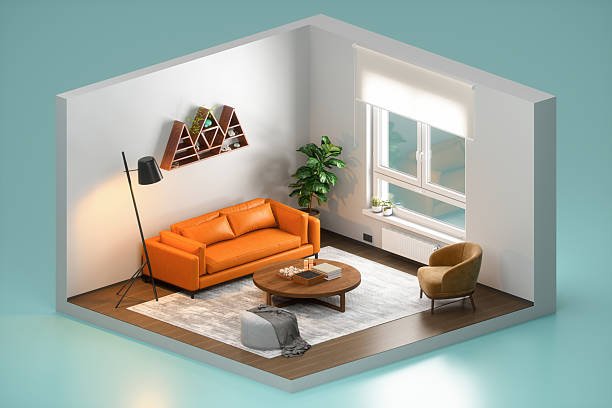
Using the best AI tools for 3d house design allows architects and homeowners to transform simple sketches into immersive three dimensional environments within seconds. These specialized platforms utilize advanced generative algorithms to automate the placement of walls, windows, and furniture while maintaining structural accuracy. By integrating artificial intelligence into the planning phase, users can visualize their future homes with photorealistic clarity before ground is even broken.
The rapid advancement of spatial computing has made it possible for anyone to produce high end architectural renderings without years of technical training. This guide explores the most effective software solutions currently available for modern residential planning and visualization.
These are the Best AI Tools For 3D House Design
The industry for residential planning is undergoing a massive transformation as manual drafting is replaced by automated systems that can predict spatial needs and aesthetic preferences. Utilizing the best AI tool for 3d house design provides a significant advantage for those looking to save time on rendering and material selection. Recent industry data shows that traditional architectural rendering could take up to forty eight hours for a single high quality image, but modern artificial intelligence has reduced this time to less than ten minutes. This efficiency allows for more creative experimentation and faster approval cycles between clients and designers. Below is a detailed look at the top platforms currently leading the market in digital home construction.
1. Homestyler
Homestyler is widely regarded as a premier choice for those seeking a balance between professional features and an intuitive user interface. It offers a powerful AI floor plan recognizer that can take a 2D image or a hand drawn sketch and instantly convert it into a 3D structure with accurate wall heights and thicknesses. The platform features a massive library of real world furniture brands, allowing you to see exactly how specific products will look in your space. For a more professional touch, its cloud based rendering engine uses machine learning to calculate realistic lighting and shadows, producing images that are often indistinguishable from photographs. A useful tip for new users is to utilize the "AI Room Styler" feature, which can automatically suggest complete interior designs based on the primary function of the room and your chosen aesthetic theme.
2. Planner 5D
Planner 5D is an excellent AI for 3d house design that caters to both hobbyists and professional renovators. Its most impressive feature is the "Bernard" AI assistant, which can evaluate your current layout and provide suggestions for optimization based on common architectural standards. The app also includes a "Snapshot" feature that uses neural networks to turn your digital model into a high definition render with a single click. For those working with existing structures, the automated floor plan recognition tool is a massive time saver, as it can digitize physical blueprints through your smartphone camera. It is highly recommended to experiment with their extensive material library to see how different textures like oak, marble, or polished concrete interact with the virtual sunlight at different times of the day.
3. Cedreo
Cedreo is a specialized tool designed specifically for home builders and real estate professionals who need to produce a complete house design in under an hour. It streamlines the process by allowing you to draw 2D plans and see the 3D results simultaneously in a split screen view. The AI helps by automatically handling roof calculations and window placements, which are traditionally the most difficult parts of 3D modeling. Once the structure is complete, the software offers a one click interior design tool that can furnish an entire house based on a specific style palette. This level of automation makes it an ideal choice for sales presentations where a quick and professional visual is required to close a deal. Many users find that the ability to generate both exterior and interior renders from a single plan is its most significant asset.
4. Foyr Neo
Foyr Neo is a lightning fast, cloud based platform that targets interior designers who want to move from a concept to a 4K render in record time. It eliminates the need for expensive hardware because all the complex machine learning calculations are performed on remote servers. The software includes an AI driven "Auto Lighting" feature that intelligently places lamps and sunlight to highlight the best features of your design. You can easily drag and drop elements into your scene and the AI will ensure they snap to the correct planes, such as floors or walls, without manual alignment. For professionals, the most impressive part of Foyr Neo is the rendering speed, which can produce a high quality output in less than ten minutes, a task that usually takes hours in older CAD software. A great tip for this tool is to use the pre-built "Inspiration" rooms to quickly find a baseline for your project.
5. Coohom
Coohom is a global leader in high speed 3D rendering and is frequently used by large scale furniture retailers and architectural firms. It offers a unique "AI Decor" tool that can automatically furnish a room in seconds, choosing pieces that match in style, color, and scale. The platform supports 16K resolution rendering, which provides a level of detail that is essential for high end luxury home marketing. Coohom also features an integrated Virtual Reality mode, allowing you to "walk through" your 3D house design using a VR headset for a truly immersive experience. This tool is particularly effective for large projects because its cloud infrastructure can handle thousands of renders simultaneously without slowing down your local computer. It is an essential platform for anyone who needs to produce a high volume of high definition visual content for social media or client presentations.
6. Maket.ai
Maket.ai focuses on the generative side of architecture, helping users explore thousands of different floor plan possibilities based on specific constraints like lot size and room requirements. Instead of drawing every wall, you tell the AI what you need, such as "a three bedroom house with an open plan kitchen," and it generates multiple viable options for you to choose from. This is the best AI tool for 3d house design for those who are in the early discovery phase and are not yet sure what layout will work best for their land. The platform also includes a "Style Transfer" feature that can take an image of a house you like and apply its architectural style to your current project. This allows for a very fast iteration process where you can test different modern or traditional looks in a matter of seconds.
7. RoomGPT
RoomGPT is a simpler but incredibly powerful tool for homeowners who want to quickly see how a different style would look in their current house. By uploading a photo of a room, the AI uses a diffusion model to "reimagine" the space in various styles like Minimalist, Industrial, or Tropical. While it does not provide the technical blueprints for a full construction, it is the best tool for initial aesthetic brainstorming. It helps in deciding whether a major structural change is necessary or if a simple change in materials and furniture will achieve the desired look. Many designers use this tool to create "mood boards" at the start of a project to help their clients visualize the overall direction before moving into more technical software. It is a fantastic entry point for those who are new to the world of 3D visualization and want instant results.
8. Interior AI
Interior AI is another photo based transformation tool that uses generative artificial intelligence to virtually stage empty or dated rooms. It is a favorite among real estate agents who want to show the potential of a property without the high cost of physical staging. The AI is trained to understand the geometry of a room from a single photo, allowing it to place virtual furniture and change wall colors with surprising accuracy. It can handle various room types, including kitchens, bathrooms, and outdoor spaces, making it a versatile tool for full house design overhauls. For the best results, users should provide high resolution photos with clear views of the corners of the room, as this helps the AI better estimate the three dimensional volume of the space.
9. Spacely AI
Spacely AI is a highly specialized platform that focuses on creating material palettes and furniture layouts that are grounded in real world products. It offers a "Render to Product" feature that identifies the items in an AI generated image and provides links to similar pieces that can be purchased. This bridges the gap between a digital dream and a physical reality, making it a very practical tool for those who are actually ready to build or renovate. The platform also features an "Exterior Design" mode that can take a photo of a plain house and suggest various siding, roofing, and landscaping options to improve curb appeal. By utilizing architectural visualization as a core feature, Spacely AI ensures that every generated image is not just beautiful, but also actionable. It is a great choice for those who want to manage their own renovation project from start to finish.
10. Arko.ai
Arko.ai is a specialized AI rendering plugin that integrates directly into existing professional software like Rhino, Revit, and SketchUp. It allows traditional architects to keep using the tools they already know while benefiting from the speed of AI driven rendering. Instead of waiting for a complex "V-Ray" render to complete, Arko.ai can produce a photorealistic image in seconds using a simple text prompt to describe the materials and lighting. This is the best AI for 3d house design for those who are already proficient in 3D modeling but want to eliminate the "rendering bottleneck" from their workflow. It provides a massive productivity boost, allowing a single designer to produce dozens of different visual options for a client in a single meeting. The tool is constantly updated to include the latest generative models, ensuring that the quality of the light and texture remains at the industry's cutting edge.
| Software Name | Primary User | Key AI Feature | Rendering Speed |
|---|---|---|---|
| Homestyler | Hobbyists & Pros | 2D to 3D Recognition | Fast (5-10 mins) |
| Cedreo | Home Builders | Automated Roofing | Instant Preview |
| Foyr Neo | Interior Designers | Auto-Lighting | Ultra Fast (<10 mins) |
| Maket.ai | Architects | Generative Floor Plans | Near Instant |
| Planner 5D | DIY Users | AI Assistant "Bernard" | Moderate |
Things to Consider When Choosing an AI House Design Tool
Selecting the right digital assistant for your architectural projects is a decision that involves balancing ease of use with technical depth. While the market is flooded with new options, the quality of the output and the accuracy of the spatial measurements vary significantly. Here are several factors to keep in mind as you search for the best AI tools for 3d house design to manage your upcoming renovation or build.
1. Accuracy of Automated Measurements: It is vital to ensure that the best AI tool for 3d house design you choose can handle precise dimensions rather than just providing a pretty picture. If you are planning a real construction project, a tool that "hallucinates" the size of a room can lead to expensive mistakes during the building phase. Look for platforms that allow you to manually override AI suggestions with exact measurements in millimeters or inches. A tool that integrates with LiDAR data from modern smartphones is often more reliable for capturing existing spaces with high accuracy.
2. Cloud vs Local Processing: Rendering a 3D house with realistic lighting requires an immense amount of computing power which can slow down a standard laptop. Cloud based platforms like Foyr Neo or Coohom perform all the heavy lifting on their own servers, which means you can design high quality homes even on a basic tablet or a low end computer. If you have a powerful gaming PC or workstation, you might prefer a plugin like Arko.ai that utilizes your local GPU for faster real time feedback. Consider your current hardware and your need for "on the go" designing when making your choice.
3. Size of the 3D Asset Library: A design tool is only as good as the items you can place inside your model to bring it to life. Ensure the platform has a vast and updated library of furniture, plants, textures, and lighting fixtures that match the current design trends. Some tools offer "branded" items that you can actually buy, which is incredibly helpful for budget planning and procurement. A lack of diverse assets can make your designs look repetitive and unprofessional, so check for a library that is updated monthly with new materials.
4. Export Options and Interoperability: If you are working with a professional team, you will likely need to export your AI generated designs into other software like AutoCAD or Revit. Check if the tool supports standard file formats like DWG, FBX, or OBJ to ensure a smooth transition between the conceptual and technical phases. A tool that is a "closed ecosystem" might be fine for a homeowner, but it can be a major bottleneck for a professional architect. The ability to share a 360 degree panoramic view or a web-based link with a client is also a significant plus for modern communication.
5. Learning Curve and Support: Some AI tools are "one click" solutions while others require a significant amount of training to master the complex settings for lighting and materials. Evaluate how much time you are willing to spend learning the software; if you need a design by tomorrow, a simpler tool like RoomGPT might be better than a professional suite like Cedreo. Look for platforms that offer extensive video tutorials, a help center, and active community forums where you can ask for advice. A tool with good customer support can save you days of frustration when you encounter a technical glitch during a high priority project.
6. Cost and Subscription Models: The pricing of these tools ranges from free with limited features to several hundred dollars per month for professional enterprise accounts. Many tools use a "credit" system for high quality renders, so be sure to calculate your expected volume of work to avoid unexpected costs. If you are only doing a one time home renovation, a monthly subscription that you can cancel is the best option, but professional firms should look for annual plans with multi-user support. Always check if there is a free trial available so you can test the quality of the renders and the speed of the interface before committing your budget.
Conclusion
Utilizing the best AI tools for 3d house design is a transformative way to bring your architectural visions to life with more speed and creativity than ever before. These platforms bridge the gap between imagination and reality, allowing for a level of visual detail that was once only available to large firms with massive budgets. By choosing a tool that balances automated ease of use with the necessary technical accuracy, you can ensure that your home design project is both beautiful and structurally sound. As the technology continues to evolve, we can expect even deeper integration between artificial intelligence and the physical construction process. Ultimately, finding the best AI tool for 3d house design is the smartest investment you can make to ensure the success of your next residential project. Whether you are a first time homeowner or a seasoned builder, these digital assistants will help you build a better future, one room at a time.
Enjoyed this read?
Share it with your friends and colleagues.