Best ChatGPT Prompts for a Cartoon Image
AskSide
October 22, 2026
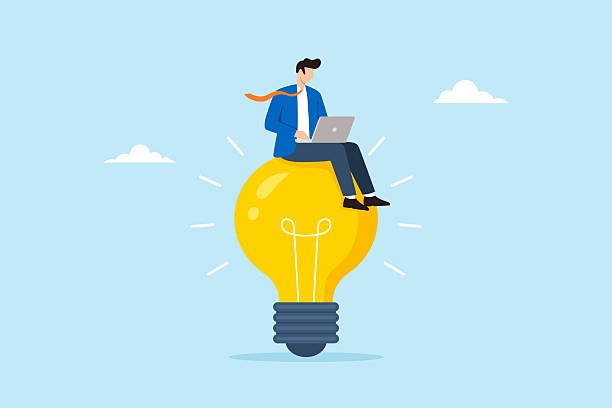
Generating high quality digital art requires precise instructions, and the best ChatGPT prompts for a cartoon image can transform a simple idea into a stunning visual masterpiece. These descriptive commands allow the DALL-E 3 engine to interpret complex lighting, character traits, and specific artistic eras with incredible accuracy. By mastering these inputs, you can create professional looking illustrations for social media, books, or personal branding without needing advanced drawing skills.
The transition from a basic text idea to a fully realized illustration depends on your ability to describe the environment and character nuances effectively. This guide provides a detailed breakdown of instructions designed to help you maximize the technical output of your artificial intelligence tools.
These are the Best ChatGPT Prompts for a Cartoon Image
To achieve professional results in digital illustration, you must understand how to communicate artistic styles and technical parameters to the artificial intelligence model. The best ChatGPT prompts for a cartoon image for the current year focus on lighting, texture, and specific artistic movements to simulate a wide range of visual outcomes. Below is a collection of expertly crafted prompts that cover various popular styles, from modern 3D renders to retro hand-drawn aesthetics, ensuring your creations stand out in any digital landscape.
1. Designing 3D Animated Movie-Style Characters
Modern 3D animation styles, like those seen in major film studios, rely heavily on lighting, subsurface scattering, and expressive features to look premium. This ChatGPT prompt for a cartoon image focuses on creating a high-gloss, volumetric look with exaggerated expressions. By specifying the lighting as soft or cinematic, you guide the AI to add depth and roundness to the character. This is particularly useful for creating avatars or protagonists for storytelling. The goal here is to make the character look like they could walk right off the screen and into the real world.
Create a high-resolution 3D cartoon image of a young female explorer wearing a khaki vest and a small backpack. The art style should be inspired by modern 3D animated films, featuring large expressive eyes, soft skin textures, and volumetric lighting. The character is standing in a lush tropical jungle with dappled sunlight filtering through the leaves. Ensure the colors are vibrant and the depth of field is shallow to keep the focus on the character's curious expression.
2. Creating Classic 2D Vector Art for Branding
Vector art is characterized by clean lines, solid colors, and a lack of complex gradients, making it perfect for logos or web icons. This prompt directs the AI to use flat design principles while maintaining a playful cartoon feel. It is one of the best ChatGPT prompts for a cartoon image when you need a scalable and professional look for a business or a personal project. The simplicity of vector styles ensures that the image remains recognizable even at small sizes. Focus on bold outlines and a limited color palette to keep the aesthetic clean and modern.
Generate a 2D vector cartoon image of a happy chef holding a tray of steaming pasta. The style should be clean and minimalist with thick bold outlines and a flat color palette. Use a bright yellow background to make the character pop. Avoid any complex shadows or gradients, focusing instead on simple shapes and a friendly, approachable aesthetic suitable for a restaurant logo.
3. Simulating Retro 1930s Rubber Hose Animation
The rubber hose style is a nostalgic throwback to the early days of animation, featuring black and white palettes and flexible, pipe-like limbs. This prompt asks the AI to replicate the grainy, film-like quality of the 1930s, complete with vintage textures. It is a unique best prompt for ChatGPT for a cartoon image when you want to create something with a historic or whimsical vibe. Pay attention to the exaggerated movements and the pie-cut eyes that define this era. This style is currently experiencing a resurgence in indie games and artistic social media content.
Create a 1930s vintage cartoon image in the rubber hose animation style. The character is a mischievous cat playing a trumpet. Use a monochromatic black and white color scheme with a subtle film grain and scratched texture to simulate old film reels. The cat should have long flexible limbs, white gloves, and classic pie-cut eyes. The background should be a simple, hand-drawn street corner from the early 20th century.
4. Developing Japanese Anime Style Illustrations
Anime is a diverse medium with specific sub-genres, and this prompt focuses on the high-energy Shonen style characterized by sharp lines and dramatic lighting. This ChatGPT prompts for a cartoon image choice helps in creating dynamic action scenes or cool, stylized heroes. Mentioning specific features like spiky hair, cinematic lens flares, and speed lines can help the AI understand the intensity you are looking for. Whether you want a serene Studio Ghibli look or a fast-paced action shot, being specific about the "Shonen" or "Shojo" influence is key to getting the right result.
Generate a high-detail anime style cartoon image of a teenage hero with spiky blue hair in a battle-ready pose. The lighting should be dramatic, with glowing energy crackling around the character's hands. Use a vibrant color palette and include cinematic speed lines in the background to suggest fast motion. The art should have sharp line work and cel-shading, typical of modern action-adventure anime series.
5. Crafting Whimsical Watercolor Storybook Art
Watercolor cartoons offer a soft, organic feel that is perfect for children's books or peaceful desktop wallpapers. This prompt emphasizes the texture of the paper and the "bleed" of the paints to create a hand-painted look. By using the best prompt for ChatGPT for a cartoon image for storybooks, you can achieve a sense of warmth and nostalgia. Focus on pastel colors and gentle, flowing lines. The lack of harsh digital edges makes these images feel personal and deeply artistic, often evoking a sense of childhood wonder.
Create a whimsical watercolor cartoon image of a small owl wearing a scarf, perched on a snowy pine branch. The style should look like a hand-painted illustration from a children's storybook, with visible paper textures and soft paint bleeds. Use a palette of soft blues, whites, and warm oranges. The lighting should be gentle and diffused, as if on a quiet winter morning, with no sharp outlines or digital-looking elements.
6. Producing Cyberpunk and Futuristic Cartoon Scenes
Cyberpunk aesthetics combine futuristic technology with a gritty, neon-soaked urban environment. This prompt guides the AI to use high-contrast lighting, specifically pink and blue neon tones, to create a sense of nighttime in a high-tech city. It is a fantastic ChatGPT prompts for a cartoon image option for creators who love sci-fi themes. The inclusion of robotic limbs, holographic signs, and rain-slicked streets adds layers of detail that make the scene feel immersive and complex. This style works best when you emphasize the glow of the lights against the dark background.
Generate a 4K cyberpunk cartoon image of a futuristic city street at night. The scene should be filled with glowing neon signs in pink and cyan, reflecting off wet pavement. In the foreground, a cool robot courier is riding a hover-bike. The art style should be a mix of comic book lines and digital painting with high contrast and detailed mechanical greebles. Ensure the atmosphere is moody and filled with a light mist or steam.
7. Creating Minimalist Line Art and Doodles
Sometimes less is more, and minimalist line art focuses on the power of a single stroke to convey an idea. This prompt is ideal for creating simple but expressive characters that look like they were sketched in a notebook. Using the best ChatGPT prompts for a cartoon image in this minimalist category allows for great flexibility in icon design or modern art prints. The focus is on the "gesture" of the character rather than the details. By keeping the background blank or very simple, you ensure the viewer's eye is drawn immediately to the cleverness of the lines.
Produce a minimalist line art cartoon image of a person sitting on a crescent moon and fishing for stars. Use a single continuous black line on a plain white background. The style should be elegant and simple, like a modern ink doodle. There should be no shading or color, only the clean silhouette and the thin black line work to define the entire scene.
8. Designing Exaggerated Caricatures for Humor
Caricatures take a person's most recognizable features and stretch them to humorous lengths. This prompt encourages the AI to be playful with proportions, such as making the head much larger than the body or exaggerating a specific accessory. It is a fun ChatGPT prompt for a cartoon image when you want to create a gift or a funny social media profile picture. The key is to maintain the "likeness" of the character while pushing the boundaries of reality. This style is all about personality and humor, so make sure the expression is vivid and loud.
Create a funny cartoon caricature of a man playing a tiny ukulele. The character should have an oversized head, a very small body, and a wide, toothy grin. Exaggerate his features like his bushy eyebrows and his colorful Hawaiian shirt. The art style should be polished digital painting with vibrant colors and a comical, high-energy vibe. The background should be a simple tropical beach with a single leaning palm tree.
9. Generating Sticker Style Art with White Borders
Sticker art has a very specific look, usually featuring a thick white border and a drop shadow to make it look like it could be peeled off the screen. This prompt is perfect for creators making digital assets for apps or physical stickers for sale. By using the best prompt for ChatGPT for a cartoon image for stickers, you get a clean cutout look that is easy to use in graphic design. The character should be compact and have a high-contrast design to ensure it looks good even when shrunk down to a small size.
Generate a high-quality sticker-style cartoon image of a cute corgi wearing sunglasses and a cape. The character should have a thick, white die-cut border around the entire silhouette and a subtle drop shadow to give it a 3D effect. The colors should be bold and saturated, with a clean and polished finish. Ensure the background is a solid flat color or transparent to make the sticker stand out as a separate asset.
10. Building Epic Fantasy World Scenes
Fantasy cartoons allow for the most imaginative world-building, featuring dragons, floating islands, and magical forests. This prompt asks the AI to create a sense of scale and wonder by using a wide-angle perspective. It is an excellent ChatGPT prompts for a cartoon image choice for concept artists or tabletop gamers. Emphasizing the "magical" elements, such as glowing plants or ancient ruins, helps to ground the viewer in a different reality. The use of a rich, deep color palette can make these fantasy worlds feel ancient and full of hidden stories.
Create an epic fantasy cartoon image of a small adventurer looking out over a valley of floating islands and waterfalls. The sky should be a deep violet with two moons visible. The art style should be a lush, detailed digital painting with a focus on environmental storytelling and scale. Include glowing magical flora in the foreground and a distant, majestic castle on the highest floating peak. The mood should be one of awe and exploration.
11. Designing Anthropomorphic Animal Characters
Anthropomorphic animals, or animals with human-like traits, are a staple of the cartoon world. This prompt focuses on blending the physical characteristics of an animal with the clothing and personality of a human. It is a popular ChatGPT prompt for a cartoon image for those creating children's stories or unique online personas. By giving the animal a specific job or hobby, like a fox librarian or a bear mechanic, you add a layer of relatability. The key is to keep the animal's natural charm while making their human-like expressions clear and engaging.
Generate a charming cartoon image of an anthropomorphic red fox dressed as a sophisticated Victorian detective. The fox should be wearing a tweed cape-coat and holding a magnifying glass. The style should be a mix of traditional ink and digital coloring with a warm, cozy atmosphere. The background should be a dimly lit study filled with old books and a fireplace. The fox's expression should be clever and observant, with realistic fur textures.
12. Simulating Comic Book Pop Art Styles
Pop art, influenced by the works of Roy Lichtenstein, uses Ben-Day dots and bold primary colors to create a high-impact visual. This prompt asks the AI to use these specific printing textures to give the image a "retro comic book" feel. It is a bold best prompt for ChatGPT for a cartoon image when you want to make a statement. The inclusion of speech bubbles or action onomatopoeia (like "POW" or "BAM") can further enhance the comic book theme. This style is perfect for posters, t-shirt designs, or high-energy social media posts.
Create a pop art style cartoon image of a woman looking surprised. Use a bold color palette of primary red, yellow, and blue. Include Ben-Day dots for shading and thick black outlines. The background should be a vibrant burst pattern. Add a speech bubble that says 'WOW!' in a classic comic book font. The overall aesthetic should look like a page from a 1960s comic book, with high contrast and a flat, graphic feel.
13. Developing Pastel Kawaii Aesthetic Images
Kawaii is the Japanese culture of cuteness, featuring soft colors, simple faces, and a feeling of sweetness. This prompt focuses on using a pastel color palette and rounded, "chibi" proportions to create an adorable image. Using the best ChatGPT prompts for a cartoon image in the Kawaii category is great for creating merchandise or soft-branded content. The focus is on making the viewer feel happy and relaxed. Think about adding small, cute elements like hearts, stars, or tiny sparkles to finish the look and enhance the overall sweetness of the character.
Generate an adorable Kawaii-style cartoon image of a tiny toasted marshmallow with a smiling face. Use a soft pastel color palette of pink, cream, and lavender. The character should have tiny blushing cheeks and large, sparkling eyes. The art style should be very clean and rounded, with a soft glow. Include small floating stars and hearts around the character on a simple light-colored background. The final image should feel cozy, sweet, and incredibly cute.
14. Creating Gothic and Dark Cartoon Designs
Dark cartoons, often inspired by directors like Tim Burton, use spindly limbs, sunken eyes, and a desaturated color palette to create a "spooky but cute" vibe. This prompt is a unique ChatGPT prompts for a cartoon image choice for those who enjoy the macabre side of art. It emphasizes the use of shadows and twisted, asymmetrical shapes to build a haunting atmosphere. This style is very popular for Halloween-themed content or for creators who have a more gothic or alternative brand identity. Focus on the contrast between dark blacks and pale, ghostly whites.
Produce a gothic, dark cartoon image of a ghostly girl holding a withered black rose. The style should be inspired by Tim Burton, featuring spindly limbs, large hollow eyes, and a pale, monochromatic color palette with subtle hints of deep purple. The background should be a spooky, twisted graveyard with a giant crooked moon. Use high-contrast lighting and sharp, scratchy line work to create a moody and atmospheric scene that is both creepy and charming.
15. Simulating Papercraft and Cut-out Art
Papercraft cartoons look like they were made by layering physical sheets of paper, creating a beautiful 3D effect within a 2D space. This prompt asks the AI to focus on the "depth" and "shadows" between the layers to simulate this handcrafted look. It is an artistic best prompt for ChatGPT for a cartoon image for those who want a tactile and unique visual style. Mentioning the "texture of the cardstock" and the "subtle drop shadows" helps the AI understand that you want a physical, layered appearance. This style is very effective for seasonal cards, app interfaces, or creative storytelling.
Create a 3D papercraft cartoon image of a forest scene with a small deer. The image should look like it was made from multiple layers of colored cardstock, with visible edges and subtle drop shadows between the layers to create depth. Use a palette of forest greens, earthy browns, and soft yellows. The lighting should be soft, highlighting the physical texture of the paper. The final result should look like a handcrafted paper diorama inside a shadow box.
Things to Consider When Creating a Cartoon Image
While the AI is capable of generating incredible visuals, achieving the perfect cartoon image requires more than just a good prompt; it requires an understanding of how digital art is constructed. To move from a "good" result to a "perfect" one, you must consider the technical and artistic nuances that define the cartoon medium. Here are several factors you should keep in mind to ensure your best ChatGPT prompts for a cartoon image yield the most professional and visually appealing results possible.
1. Define the Line Work Clearly: In cartooning, the weight and style of the lines determine the character's energy and the overall mood of the image. Statistical data from art communities shows that bold, thick lines are often associated with humor and accessibility, while thin, scratchy lines suggest drama or a more mature theme. When writing your ChatGPT prompt for a cartoon image, always specify if you want "thick black outlines," "no outlines (flat design)," or "colored line work." This one instruction can fundamentally change the entire aesthetic of the generated image.
2. Consistency of Color Palettes: A random mix of colors can make a cartoon look amateurish, whereas a curated palette creates a professional and cohesive brand. Use specific color terms like "complementary colors," "pastel tones," or "monochromatic" to help the AI stay within a visual theme. In your best prompt for ChatGPT for a cartoon image, you might even suggest specific HEX-inspired descriptions like "muted sage green and burnt orange" to get a more sophisticated and intentional look. Color consistency is vital if you are planning to create a series of images that belong to the same world.
3. Pay Attention to Aspect Ratio: Different platforms require different image shapes, and the AI needs to know this so it can compose the characters correctly. If you are creating a character for a mobile game, you might need a vertical (9:16) ratio, whereas a cinematic scene works better in landscape (16:9). While DALL-E 3 defaults to certain sizes, explicitly stating the "aspect ratio" in your ChatGPT prompts for a cartoon image ensures that no important part of the character—like their feet or the top of their hat—is accidentally cropped out during generation.
4. Use Lighting to Create Depth: Even the simplest 2D cartoon can be improved by smart lighting choices. Specify the "direction" of the light (e.g., "side lighting" or "top-down light") to help the AI understand where to place shadows. For a more modern look, ask for "rim lighting," which creates a bright outline around the character, making them stand out from the background. This is a common trick used in the best ChatGPT prompts for a cartoon image to give a 2D drawing a more polished and three-dimensional feel.
5. Understand the Emotional Intent: A cartoon is only as good as the emotion it conveys to the viewer. Don't just describe what the character is doing; describe how they feel. Instead of saying "a boy eating ice cream," say "a joyful boy with a wide grin and sparkling eyes eating a melting ice cream cone on a hot day." This added descriptive detail tells the AI to prioritize "emotional cues" in the character's facial features and body language, resulting in a much more engaging and relatable final illustration.
6. Composition and Framing: How you frame the subject in your best prompt for ChatGPT for a cartoon image can dramatically change the story being told. A "wide shot" is great for showing off a beautiful fantasy world, while a "close-up" is better for capturing a character's specific personality or reaction. Use professional camera terms like "low-angle shot" to make a character look powerful or "bird's eye view" to make a scene look grand and expansive. Good framing ensures that the viewer's eye is led naturally to the most important part of your cartoon.
Conclusion
Mastering the best ChatGPT prompts for a cartoon image is a powerful skill that enables anyone to become a digital artist and storyteller in the modern era. By providing clear, descriptive, and technically accurate instructions, you can leverage artificial intelligence to produce professional-grade illustrations that match your specific creative vision. Whether you are aiming for the sleek look of a 3D animated film or the nostalgic charm of a hand-drawn sketch, the key lies in the precision of your language and your understanding of artistic principles. As AI continues to evolve, the ability to communicate these visual concepts will become an essential part of the creative toolkit for designers, writers, and hobbyists alike. Use these prompts as a foundation, and don't be afraid to experiment with your own creative twists to see just how far your imagination can go.
Enjoyed this read?
Share it with your friends and colleagues.