Best ChatGPT Prompts For AI Art
AskSide
October 22, 2026
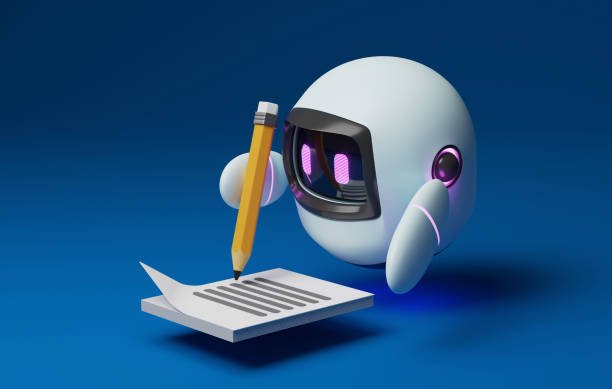
Generating the best ChatGPT prompts for AI art allows digital creators to bridge the gap between a vague idea and a visually stunning masterpiece by using descriptive language. These structured instructions help the language model act as a creative director to translate abstract concepts into detailed parameters such as lighting, texture, and composition. By mastering specific descriptive techniques, you can ensure that your final artwork matches your original artistic vision without the frustration of repeated failed attempts.
This guide will walk you through the most effective ways to use conversational AI as a brainstorming partner for your next visual project. You will discover how to layer technical details to produce professional results across various artistic genres and digital mediums.
These are the Best ChatGPT Prompts for AI Art
To get the best results from image generators like Midjourney, Stable Diffusion, or DALL-E 3, you need to provide a high level of descriptive detail that the AI can interpret visually. ChatGPT excels at expanding a simple idea into a rich, multi-layered prompt that considers technical aspects like camera lens settings, lighting conditions, and historical art movements. Below are the most effective ways to utilize the AI to build your prompts from the ground up, ensuring that every pixel of the generated image serves your creative purpose.
1. Defining Specific Artistic Movements
One of the fastest ways to improve the quality of your images is to specify a historical art movement rather than just describing the scene. When you use a ChatGPT prompt for AI art that mentions styles like Baroque, Impressionism, or Art Deco, the image generator applies the specific brushwork and color palettes associated with those eras. This adds a layer of sophistication to the output that simple descriptions often lack. You should ask ChatGPT to describe how the specific characteristics of an art movement would apply to a modern subject for a unique juxtaposition. This creates a bridge between classical techniques and contemporary concepts.
Act as an art historian. I want to create an image of a modern city street, but in the style of 17th-century Dutch Golden Age painting. Describe the use of chiaroscuro lighting, the muted color palette, and the oil-on-canvas texture in a detailed prompt for Midjourney.
2. Mastering Cinematic Lighting and Atmosphere
Lighting is the most important element in photography and digital art because it dictates the mood and depth of the piece. The best prompt for ChatGPT for AI art will include terms like volumetric fog, golden hour, or neon rim lighting to create a sense of three-dimensional space. Instead of saying a scene is dark, you can ask the AI to describe the way shadows fall across a subject or how light refracts through a glass surface. This level of detail tells the image generator exactly where the light source is located and how it interacts with different materials. This technique is especially useful for creating dramatic or moody concept art for games and films.
Generate a detailed prompt for a sci-fi laboratory. Include descriptions of cool-toned fluorescent overhead lights, glowing blue liquid in vats providing secondary ambient light, and thick volumetric smoke rolling across the floor to create a sense of mystery and depth.
3. Incorporating Professional Camera Specifications
If you are aiming for photorealism, you must treat the AI image generator like a professional camera. You can use ChatGPT to generate prompts that specify focal lengths, such as a 35mm wide-angle for landscapes or an 85mm prime lens for portraits. Including technical details like f/1.8 aperture for a shallow depth of field or a specific shutter speed can drastically change how the background is rendered. This approach helps the AI understand whether you want a sharp, clinical look or a soft, cinematic blur. Many professional AI artists use this method to achieve a look that is indistinguishable from real photography.
Create a prompt for a high-fashion portrait of a model in a desert. Specify that the image should look as if it were taken on a Sony A7R IV with an 85mm lens at f/1.2. Describe the bokeh effect on the sand dunes in the background and the sharp detail on the fabric of the model's dress.
4. Creating Surrealism and Dreamlike Concepts
AI is uniquely gifted at blending unrelated concepts into a single cohesive image, which is the hallmark of surrealism. You can use ChatGPT to brainstorm combinations that a human might not immediately think of, such as an ocean made of liquid gold or a forest where the trees are giant mushrooms. These ChatGPT prompts for AI art should focus on the transition points where two different realities meet. By describing the textures and colors of these impossible objects, you guide the AI to create something that looks both alien and oddly believable. This is a favorite technique for album covers and experimental digital art projects.
I want to generate a surrealist image of a clock melting over a giant sunflower in the middle of a snowy tundra. Describe the textures of the melting metal and the frosty petals in a way that emphasizes the dreamlike and impossible nature of the scene.
5. Designing Detailed Character Concepts
Character design requires a balance of personality, clothing, and environment to tell a story through a single image. When prompting for characters, ask ChatGPT to describe their attire in terms of specific fabrics like weathered leather, silk, or heavy wool. You should also include details about their posture and facial expressions to give the character life. Mentioning specific "character tropes" from literature or gaming can help the AI understand the general vibe you are going for before you add the specific details. This method ensures that the character feels like a real individual with a history rather than a generic digital asset.
Write a character design prompt for a weathered mountain explorer. Describe his heavy fur-lined cloak, the brass instruments hanging from his belt, the scars on his face from the cold, and the determined look in his eyes as he stands against a blizzard.
6. Visualizing Architectural and Interior Spaces
Architects and interior designers are increasingly using AI to quickly visualize room layouts and building exteriors. The best ChatGPT prompts for AI art in this field focus on materials like brushed concrete, reclaimed wood, or floor-to-ceiling glass. You can specify the time of day to show how natural light interacts with the interior spaces, creating a realistic sense of ambiance. Asking for a specific architectural style, such as Mid-century Modern or Brutalism, provides a structural framework that the AI can build upon. This allows for rapid prototyping of design ideas that can then be refined in professional CAD software.
Describe a modern minimalist living room overlooking a rainy forest. Focus on the contrast between the cold grey concrete walls and the warm orange glow of a fireplace. Mention the reflection of the trees on the large glass windows and the texture of a plush white rug.
7. Generating Minimalist Vector Art and Logos
While AI is often associated with complex paintings, it is also very capable of producing clean, minimalist designs. To get these results, your prompt needs to emphasize words like flat design, vector, and white background. ChatGPT can help you define the specific geometric shapes and color palettes that represent a brand or concept. It is important to tell the AI to avoid gradients and shadows if you want a true vector look. These prompts are perfect for icons, simple illustrations, and logo ideation where clarity and simplicity are the primary goals.
Create a prompt for a minimalist logo of a stylized wolf. Use only geometric shapes and a two-tone color scheme of navy blue and silver. Specify a flat design style with no shadows or gradients on a clean white background.
8. Building Cyberpunk and Futurism Worlds
The cyberpunk aesthetic is defined by "high tech and low life," which requires a mix of futuristic technology and gritty urban decay. Using ChatGPT, you can describe the contrast between glowing holographic advertisements and dirty, rain-slicked alleyways. Mentioning specific materials like chrome, carbon fiber, and neon gas helps the AI render the reflective surfaces correctly. This genre heavily relies on color theory, so including specific combinations like magenta and teal can help establish the classic synthwave or cyberpunk look. These prompts are excellent for world-building in science fiction projects.
Generate a prompt for a cyberpunk street market. Describe the crowded stalls selling robotic parts, the flickering neon signs in Japanese kanji, the wet pavement reflecting the purple and pink lights, and the heavy rain falling through the smog.
9. Capturing the Beauty of Nature and Landscapes
Nature photography in AI requires a deep understanding of environmental layers, from the foreground grass to the distant mountain peaks. You can use ChatGPT to describe the specific species of plants or the geological features of a terrain. Including atmospheric effects like mist, rainbows, or a star-filled sky can turn a standard landscape into something breathtaking. The AI can also help you describe the "season" of the image, ensuring that the colors of the leaves and the quality of the light match a specific time of year. This level of environmental detail creates a sense of place that feels immersive and real.
Describe a hidden tropical waterfall deep in a jungle. Include details about the lush ferns and orchids in the foreground, the turquoise water of the pool, the misty spray rising from the falls, and the shafts of sunlight breaking through the dense canopy.
10. Developing 3D Renders and Game Assets
If you are a game developer, you can use AI to generate concept art that looks like a finished 3D render. By using terms like Octane Render, Unreal Engine 5, or Ray Tracing, you tell the AI to simulate the way modern game engines handle light and shadow. This results in images that have a "plastic" or "sculpted" quality, which is perfect for character models or environmental assets. ChatGPT can help you specify the "mesh" quality and the type of shaders used on the surfaces. This is a powerful way to communicate a visual style to a technical team during the pre-production phase of a project.
Write a prompt for a fantasy sword stuck in a stone. The style should be a high-fidelity 3D render in Unreal Engine 5. Focus on the metallic reflections of the blade, the intricate carvings on the hilt, and the realistic moss growing on the base of the stone.
11. Mimicking Historical and Classical Art Styles
Beyond broad movements, you can ask ChatGPT to help you mimic the style of a specific famous artist. Whether it is the swirling skies of Van Gogh or the soft, ethereal light of Vermeer, the AI can analyze the key components of an artist's signature style. These ChatGPT prompts for AI art should describe the specific types of brushstrokes, such as impasto or glazing, that the artist was known for. This allows you to create "new" works that feel as though they could have been painted by a master. It is a fantastic tool for educational purposes or for creating unique decorative art for your home.
Create a prompt for a portrait of a cat in the style of Vincent van Gogh. Describe the thick, swirling brushstrokes, the vibrant use of yellow and blue, and the energetic, emotional feel of the background as if it were part of 'The Starry Night'.
12. Crafting Anime and Manga Illustrations
The anime style covers a wide range from the soft, painterly look of Studio Ghibli to the sharp, high-octane lines of modern shonen series. ChatGPT can help you define the specific era of anime you want to emulate, including the type of line art and color shading. You can specify "cel shading" for a classic look or "digital painting" for a more modern aesthetic. Describing the character's large, expressive eyes and the stylized hair is key to getting the AI to recognize the genre. These prompts are perfect for fan art or for developing your own original manga concepts.
Describe a scene of a young girl sitting in a magical library in the style of Studio Ghibli. Focus on the soft, watercolor-like backgrounds, the warm and inviting lighting, and the whimsical details like floating books and glowing candles.
13. Mastering Macro Photography and Tiny Details
Macro photography is all about the details that are invisible to the naked eye, such as the scales on a butterfly's wing or the dewdrops on a blade of grass. You can use ChatGPT to describe these textures in a way that forces the AI to "zoom in" on the subject. Using terms like extreme close-up or microscopic view helps set the perspective. Mentioning the crystalline structure of ice or the fibrous texture of a leaf provides the AI with the data points it needs to create a high-resolution, detailed image. This technique is often used in scientific visualization and abstract art.
Generate a macro photography prompt of a single snowflake resting on a dark woolen glove. Describe the intricate, symmetrical crystal patterns of the snowflake and the individual fibers of the wool in sharp focus, with a very shallow depth of field.
14. Exploring Double Exposure and Experimental Art
Double exposure is a photographic technique where two images are layered on top of each other, often blending a portrait with a landscape. ChatGPT can help you describe how these two elements should merge, such as having a forest grow out of a person's silhouette. This creates a highly symbolic and artistic result that is very popular in modern graphic design. You should focus on the "blending mode" and which parts of the image should be transparent. This type of experimentation is where AI art truly shines, as it can handle the complex layering far faster than a human editor could in Photoshop.
Create a prompt for a double exposure image. Blend a side profile of a woman with a dense evergreen forest. The woman's hair should transition into the trees, and the color palette should be limited to earthy greens, browns, and soft greys.
15. Designing Textiles and Fashion Patterns
Fashion designers can use AI to create intricate patterns for fabrics or to visualize how a garment would hang on a body. The best prompt for ChatGPT for AI art in fashion will include details about the weave, such as herringbone, jacquard, or silk satin. You can also describe the embroidery or beadwork in great detail to see how light reflects off different surfaces. This helps in the early stages of a collection to see how different textures and patterns work together. The AI can generate thousands of pattern variations in minutes, providing an endless source of inspiration for textile design.
Describe an intricate floral embroidery pattern on a piece of deep crimson velvet fabric. Mention the gold silk threads used for the leaves, the small rubies sewn into the flower centers, and the way the velvet catches the light as it folds.
16. Producing Cinematic Stills and Storyboards
Filmmakers often use AI to create storyboards or to see what a specific shot might look like before they ever pick up a camera. ChatGPT can act as a cinematographer, describing the camera angle—such as a low-angle power shot or a high-angle bird's eye view. You can also include "film grain" and "anamorphic lens flares" to make the image look like a frame from a real movie. This helps in communicating the visual language of a film to the rest of the crew. By using consistent prompts, you can even maintain a similar look across several different scenes.
Write a prompt for a cinematic still from a historical epic movie. The scene shows a lone knight on a horse at the edge of a cliff, looking out over a massive army. Use a wide anamorphic shot with a 2.39:1 aspect ratio, cinematic color grading, and a slight film grain.
17. Imagining Dark Fantasy and Gothic Aesthetics
Dark fantasy is a genre that thrives on shadows, decay, and ancient mystery. When prompting for this style, ask ChatGPT to focus on the "grit" and the "macabre" elements, such as crumbling stone cathedrals or twisted, leafless trees. The color palette should usually be restricted to dark blacks, deep reds, and cold greys. Using terms like Lovecraftian or Gothic Horror helps the AI understand the psychological weight you want the image to carry. These images are often used for book covers or as inspiration for tabletop role-playing games where atmosphere is everything.
Generate a prompt for a dark fantasy castle perched on a jagged rock. Describe the gothic architecture with sharp spires, the blood-red moon hanging in the black sky, and the skeletal remains of dragons scattered around the base of the fortress.
Things to Consider for AI Art Prompts
While using ChatGPT to generate art prompts is incredibly effective, there are several nuances to keep in mind to ensure the best possible results. AI models often interpret words differently than humans, so being strategic about your language is key to success. Here are the most important things to consider when building your creative workflow with AI tools.
1. The Order of Keywords Matters: Most image generators give more weight to the words at the beginning of a prompt than the ones at the end. When you are using the best ChatGPT prompts for AI art, make sure your most important subject is listed first, followed by the style, and then the lighting and technical details. If you put "cinematic lighting" at the very end, the AI might ignore it in favor of the earlier descriptions of the character or setting.
2. Understanding Negative Prompts: Sometimes telling the AI what *not* to include is just as important as telling it what to include. While ChatGPT usually focuses on positive descriptions, you can ask it to generate a list of things to exclude, such as "no text," "no blurry backgrounds," or "no distorted limbs." Many advanced AI art tools have a specific field for these negative prompts to help clean up the final image and reduce common AI errors.
3. Aspect Ratios and Framing: Different platforms have different default shapes for their images, usually a square. You should always include instructions for the aspect ratio, such as 16:9 for a cinematic look or 9:16 for a mobile phone wallpaper. ChatGPT can help you decide which ratio is best for your specific composition, such as using a vertical ratio for a tall skyscraper to emphasize its height and scale.
4. Iteration is Part of the Process: Rarely will you get the perfect image on the first try, even with a great prompt. Use the output from your first attempt to "debug" your prompt—if the colors are too bright, ask ChatGPT to suggest more muted alternatives. This iterative feedback loop is how professional AI artists achieve their high-quality results, slowly refining the language until the AI perfectly understands the request.
5. Statistics on AI Art Adoption: Recent data shows that over 60 percent of professional graphic designers have experimented with AI tools to speed up their initial brainstorming phases. This shift in the industry highlights the importance of learning how to communicate with these models effectively. As the technology improves, the ability to write precise prompts will become a core skill in the digital arts, much like mastering a paintbrush or a stylus was in the past.
6. Ethical Use and Originality: Always be mindful of the ethics of AI art, especially when mimicking the style of living artists. While it is a great way to learn, using AI to replicate someone's unique style for commercial gain can be controversial. Aim to use the AI to blend multiple styles together to create something entirely new and original that reflects your own creative taste and intellectual contribution to the art world.
Conclusion
Mastering the best ChatGPT prompts for AI art is a journey of discovery that blends technical knowledge with creative intuition. By using the AI to expand your ideas into detailed descriptions of lighting, style, and camera settings, you can produce images that truly stand out in the digital landscape. Remember that the AI is your partner, not just a tool, and the more specific you are with your instructions, the better the results will be. Whether you are a professional designer or a hobbyist, these prompts provide the foundation for a new era of visual storytelling. As you continue to experiment, you will find your own unique voice within the rapidly evolving world of artificial intelligence and digital creativity.
Enjoyed this read?
Share it with your friends and colleagues.